Add Layers to the Map
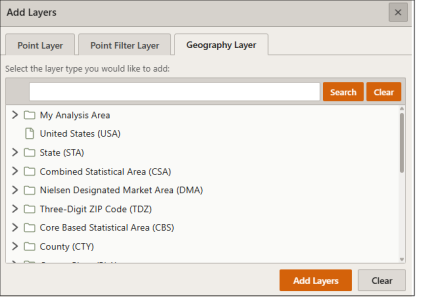
On the Interactive Map main toolbar, click the Add Layers icon ( ). When the Add Layers pane appears, click on the desired layer type and select the specific layer(s) you want to add to the map. Click Add Layers.
Close the Add Layers pane by clicking  located in the upper-right corner of the pane.
To Learn More:
 View Detailed Steps
- On the Interactive Map main toolbar, click the Add Layers icon (
 ). The Add Layers pane appears.
 - Select the Layer Type you want added to the map.
If you select Point Layer, select the location file(s) you would like added to the map as a layer.
If you select Point Filter Layer, select the previously filtered locations you would like added to the map as a layer.
If you select Geography Layer, select the previously saved analysis area(s) and/or geography(ies) you would like added to the map as a layer. - Click Add Layers.
- Close the Add Layers pane by clicking
 located in the upper-right corner of the pane.