Theme Manager: Modify your Theme Settings
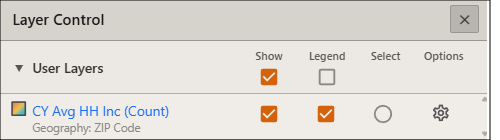
To modify the selections of a displayed theme, from Layer Control click the theme's Settings icon ( ) .
) .
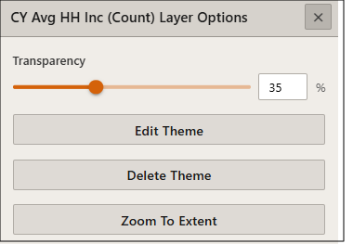
The following options are available from the Layer Options window:
- Update the theme transparency
- Edit the theme
- Delete the theme
- Zoom the map to the theme's extent
NOTE: Clicking the displayed theme's hyperlink in Layer Control will also open the Theme Manager.
To Learn More:
What's Next:
 View Detailed Steps
- On the Interactive Map main toolbar, click the Layer Control icon (
 ). The Layer Control pop-up window appears.
 - Click the displayed theme's Settings option.
- The theme's Layer Options window appears.
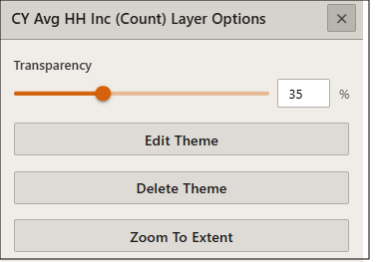
- To Set Theme Transparency: Move the Transparency slider to the desired percentage. Moving the slider to the right will increase transparency and allow the base layers to be more visible.
- To Edit Theme: From the Theme Manager window, make changes to the desired inputs. Once all changes have been made, click Create Theme.
- To Delete Theme: Click Delete Theme.
- To Zoom to Extent: Click Zoom to Extent. The map view will zoom to include the extent of the theme.