Export Map Image
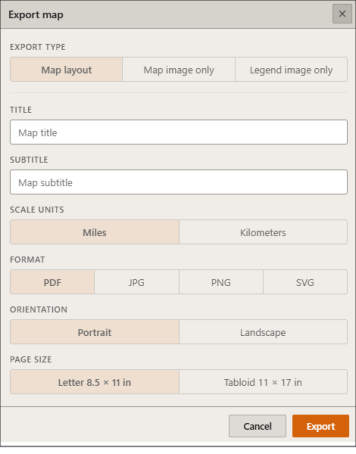
On the Interactive Map main toolbar, click the Export Map Image icon ( ). When the Export Map pop-up window appears, pan and zoom the map to select the area you want included in the exported image. Specify the export type.
For Map layout exports, specify a title for your map, the desired scale, format, orientation and page size.
For Map image or Legend image only exports, specify the desired map format and width.
Once all selection have been made, click Export.
Close the pop-up window by clicking the  located in the upper-right corner of the window.