Theme Manager: Specify the Theme Type, Level, and Inclusion Method
On the Theme Type, Theme Level, Inclusion Method pane, select the theme type that you want to use in the Theme Type drop-down list. Options available on this pane vary depending on the theme type.
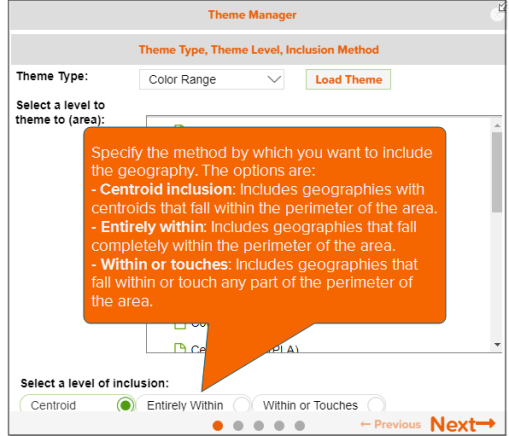
If you select Color Range or Target Color Range, specify the geography level to theme and the method by which you want to include the geography in your theme area.
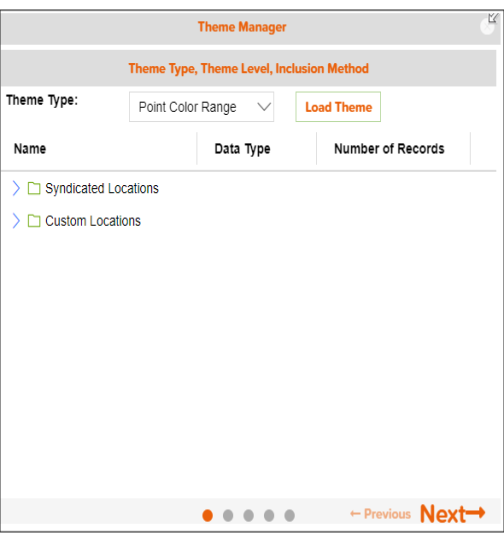
If you select Point Color Range or Point Change in Value, navigate to and select the point data file or source that you want to use.
NOTE: You can also use a previously saved theme by clicking the Load Theme button and selecting your desired theme in the Themes pop-up window. Once the system loads your selected them, you may need to go to the Theme Type, Theme Level, and Inclusion Method pane or to the pane that you want to access by clicking Previous or the navigation buttons located to the left of Previous/Next.
After you specify your settings, click Next to proceed.