Show Map Legend
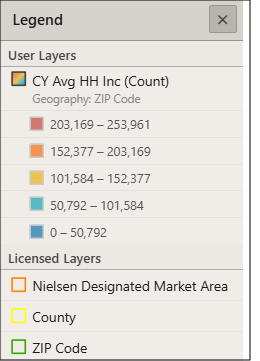
On the Interactive Map main toolbar, click the Legend icon ( ). The map legend appears showing all map layers and symbols you specified in Layer Control to appear in the legend.
Close the map legend by clicking  located in the upper-right corner of the box.
To Learn More:
What's Next:
Go to Add Layers and Show/Hide Map Layers for detailed steps on how to add layers to the map legend.